
 by Ansel on Jul. 22, 2026 | NO COMMENT
It happens in an instant: you are doing a late-night digital cleanup and accidentally delete a Telegram conversation. Panic sets in as you realize that thread contained a crucial business address and files you desperately still need. Worse, because you never exported your chat history and the messages were deleted for both sides, the application's automatic cloud sync makes you unsure whether a local scan can even help. Facing an empty chat screen when you need critical information most is a significant obstacle.
If you are struggling with a secret chat missing after a phone change or wondering what options you truly have, this guide provides tested, practical procedures. We will cut through the technical confusion, avoid false promises, and help you understand exactly what is—and isn't—technically possible when trying to restore your missing data.
Before attempting to recover any data, you must clearly understand the underlying architecture of the platform. Telegram does not store all conversations the same way, and the platform's security features directly impact your chances of recovery.
Standard Cloud Chats: Telegram supports standard cloud chats, which are designed to sync seamlessly across your smartphone, tablet, and computer. However, this convenience is exactly what makes data retrieval difficult. The platform lets users delete messages or entire threads for both sides simultaneously.
Many users are rightly confused by this: If the server immediately pushes an erasure command across all connected devices, how can local recovery software possibly work?
Here is the technical reality: When the server erasure command executes, it instantly removes the message from your visible application interface. However, on a physical hardware level, the iOS SQLite database simply marks that local storage space as "available." It does not necessarily zero out or overwrite the code in that exact millisecond. If—and only if—that "invisible" database space has not yet been overwritten by new incoming texts or app updates, specialized software might be able to extract the raw text fragments from your device's local cache.
Secret Chats: On the other hand, Secret Chats present entirely different technical hurdles. Secret Chats utilize strict end-to-end encryption and are fundamentally locked to a single piece of hardware. They are stored exclusively within the local cache of the specific device where the conversation began. Because they never touch the main server architecture, they will not sync.
This strict localized security is precisely why you will find a secret chat missing after a phone change. If you lost a secret chat due to upgrading your iPhone, recovery is impossible on the new device. You must run any extraction tools or backups strictly on your old device where the original encryption keys reside. For a broader encrypted messaging recovery case, you can also review this article on iMessage recovery to understand how local device data and backups affect recovery options.

Primo iPhone Data Recovery helps you scan and recover lost iPhone data from iOS devices and backups. Click Here to Free Download
To resolve a data loss event safely, you must select an appropriate technique based on your current situation. Many online forums confuse automatic syncing with actual local device recoverability. To proceed safely, you need to compare native operating system methods against professional third-party software objectively.
Here is a realistic, unbiased breakdown to help you make an informed decision before proceeding:
| Evaluation Criteria | Native Method (iCloud Backup) | Specialized Tool (e.g., Primo Data Recovery) |
| Success Rate | Moderate (Relies entirely on having a backup made before the deletion). | Highly Variable (Success drops to near-zero if the SQLite database has been overwritten). |
| Time Cost | High (Requires a full factory reset and hours of downloading). | Low (Scans take minutes; extraction is immediate). |
| Safety Risk | High (Will permanently overwrite newer files and photos on your current device). | Low (Read-only process; extracts fragmented data safely to a computer without altering the phone). |
| Data Targeted | The entire operating system and all applications. | Specific application databases and fragments. |
Understanding these factors prevents further data overwriting. Third-party software is not a magic bullet for modern encrypted iPhones, but it offers a non-destructive way to check the database before resorting to a highly disruptive full system wipe. If your missing Telegram data may exist inside an old computer backup, this article explains how an iPhone backup extractor can help preview backup content without restoring the whole device.

Designed to fit effortlessly into your iPhone data recovery.
Download NowIf you do not have a recent system snapshot, your only remaining option is to scan the hardware directly for surviving database fragments. Dedicated tools like Primo iPhone Data Recovery are built for this scenario. Instead of relying on the cloud, they scan your physical device's internal storage for the SQLite database remnants mentioned earlier. This approach is similar to other chat recovery situations, such as trying to recover deleted WhatsApp messages without backup before local traces are overwritten.
Follow these exact UI steps to perform a safe, read-only hardware scan:
• Connect Your Device: Download and install Primo iPhone Data Recovery on your Windows or Mac computer. Connect your iPhone or iPad using a certified Apple USB cable.
• Navigate the Interface: Launch the software. On the main dashboard, click on Recover from iOS Device.

Recover from iOS Device
• Select the Target App: In the next menu, uncheck all the default boxes to save scanning time. Scroll down, click on App Data, and specifically check the box for Telegram. Click Start Scan.
• Scan the Local Cache: Allow the software to parse your device's internal storage. This process safely analyzes the hardware without altering any existing files.
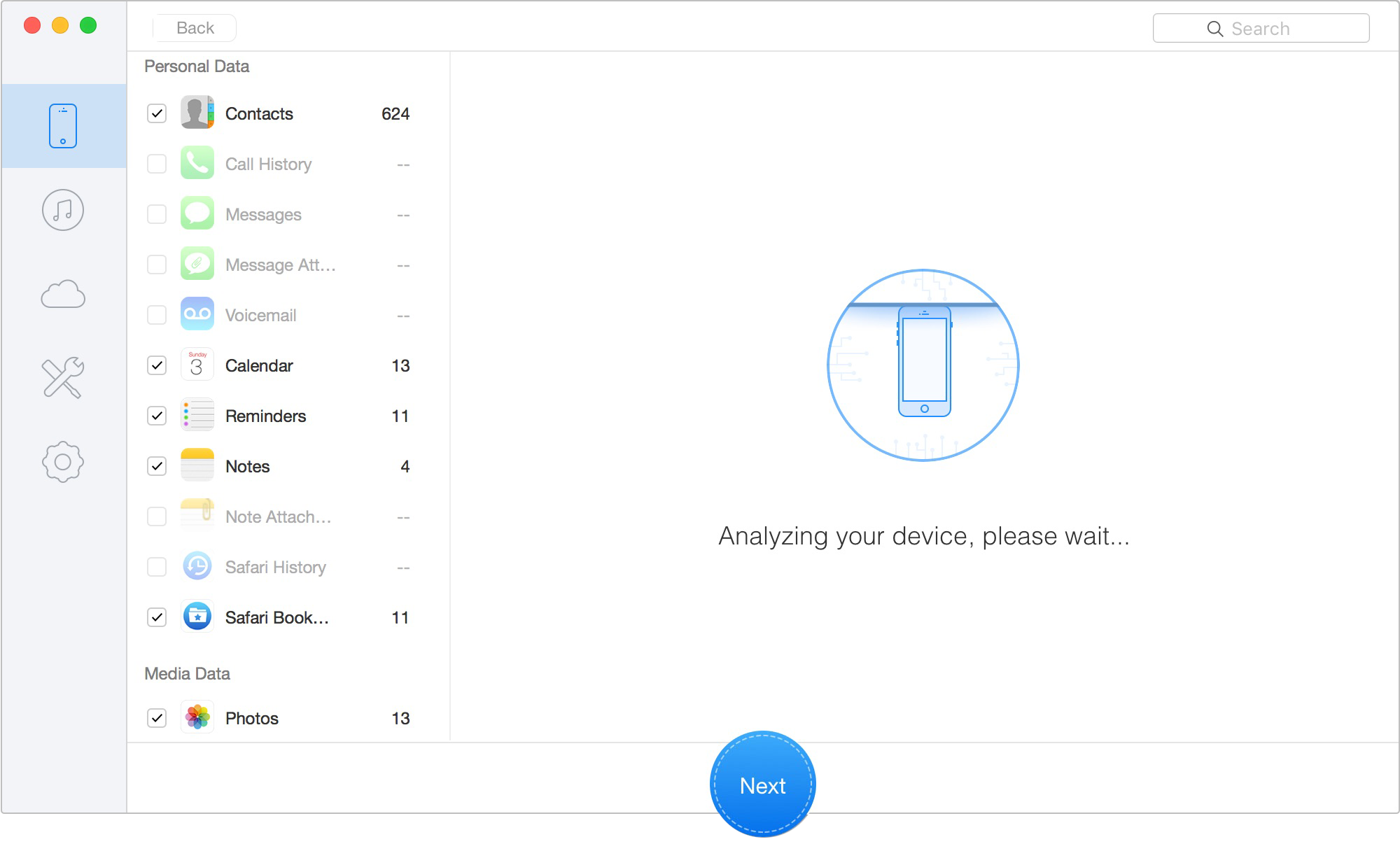
Scan Lost iOS Data on iOS Device
• Preview and Export: Once the scan finishes, the software displays a preview of any surviving text fragments. If you see the critical information you need, select the items and click Export to Mac/PC to save them locally.
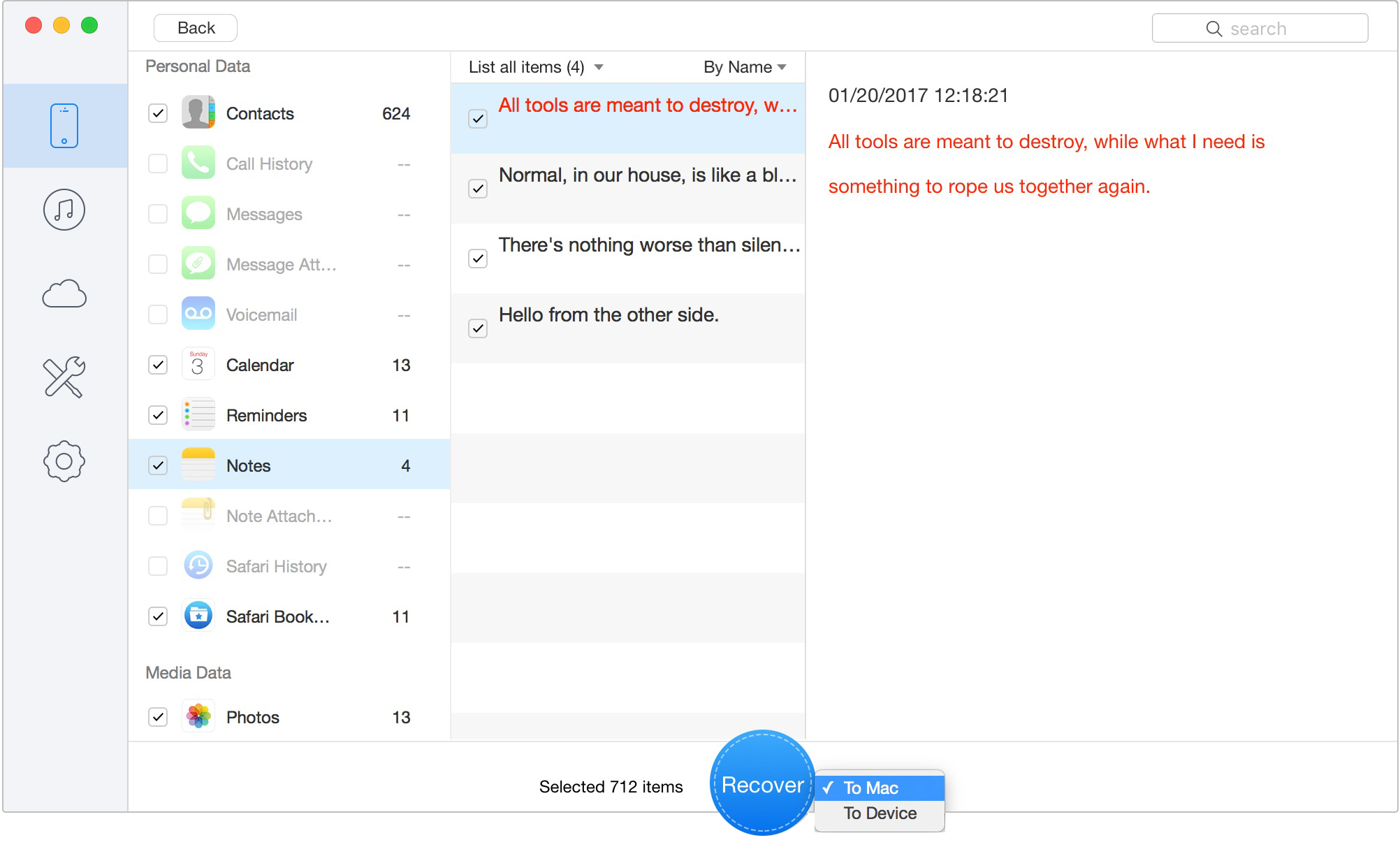
Retrieve Data to Computer or iOS Device
For users who prefer to operate strictly within the native Apple ecosystem, checking for a previous iCloud backup is the standard procedure. If your smartphone successfully backed up to the cloud prior to the deletion event, you can achieve chat history recovery by rolling back the entire operating system to that specific date.
Critical Warning: Apple does not allow you to selectively restore only one application. To retrieve your missing conversation, you must erase your smartphone entirely. Any photos, text messages, or documents created after the backup date will be permanently deleted.
If you accept this risk, follow these steps:
• Open your device and navigate to Settings.
• Tap your Apple ID profile name at the top, then select iCloud.
• Tap iCloud Backup and meticulously check the timestamp of the last successful backup. It must predate the exact moment you lost your data.
• If the timestamp is favorable, navigate back to Settings > General > Transfer or Reset iPhone.
• Select Erase All Content and Settings and confirm your choice.
• Once the device restarts and begins the initial setup sequence, select Restore from iCloud Backup and choose the correct archive.
Wait for the process to complete. Once the device downloads your older applications, open the app to verify if the missing information has returned.
Sometimes, the best solution involves looking away from your mobile device. The desktop client for PC and Mac includes a highly useful export feature that saves local, offline copies of your conversations.
If you are like the user in our opening scenario, you likely had no export prepared before the deletion occurred. If a chat is deleted for both sides, the desktop app instantly syncs that deletion, making it impossible to export the chat after the fact.
However, it is still worth checking your computer's hard drive. In some instances, users have previously generated automated HTML or JSON (JavaScript Object Notation) archives for work or personal backups and forgotten about them. Check your default "Downloads" or "Documents" folders for folders labeled Telegram Desktop.
If you do find an old archive, be aware of a crucial technical caveat regarding import/export mechanics: these operations are strictly one-way. Telegram's database schema prevents users from importing a desktop HTML file back into the iOS application.
The desktop export serves purely as a read-only archive. While you cannot force the active thread back onto your iPhone, you can open the HTML file in any standard web browser (like Chrome or Safari) to search for your lost contacts or media manually.
Primo iPhone Data Recovery helps you scan and recover lost iPhone data from iOS devices and backups. Click Here to Free Download
Managing unexpected data loss is stressful, and having clear, direct answers can streamline your troubleshooting process.
Q1: Can Telegram deleted messages be recovered?
Yes, but only under specific technical conditions. Your success rate depends entirely on whether you have a local system backup stored in iCloud, a desktop export prepared beforehand, or if specialized software can extract fragmented data from the SQLite database before your phone overwrites it.
Q2: Are Telegram Secret Chats recoverable?
No, in almost all scenarios. Because these secure threads are highly device-specific and deliberately avoid syncing to the cloud, native backup methods fail. Furthermore, if you changed phones, the new phone will never have the encryption keys for the old secret chat. You must scan the original device.
Q3: Can Telegram Desktop export deleted chats?
No. You must perform the export procedure before the deletion occurs. Once the automatic sync command removes the thread globally, the desktop client loses access and cannot retroactively extract the missing data.
Q4: Does iCloud back up Telegram chats?
Yes. A full iCloud backup captures the entire state of the application at that specific moment in time. However, restoring from this cloud snapshot is a severe procedure that requires completely erasing your current device data to apply the older files. Before erasing your iPhone, it is worth checking what iCloud backup saves so you can better judge whether Telegram-related data may be included.
Q5: Can local extraction tools bypass the server's "delete for both sides" command?
Sometimes, but rarely for long. The server deletes the message from the app interface instantly. However, the physical storage space on the phone's drive is just marked as "available" by the database. If you scan the phone immediately before receiving new messages, a tool might find surviving text fragments.
Losing critical information because you accidentally deleted a conversation is highly frustrating. When messages are wiped for both sides, the platform's efficient cloud architecture works against you, making recovery a race against time. Furthermore, upgrading devices makes retrieving localized Secret Chats impossible on the new hardware.
While third-party extraction tools like Primo iPhone Data Recovery are not guaranteed magic fixes for modern encrypted devices, they do offer a safe, read-only method to scan your local database for surviving text fragments without forcing a risky iCloud factory reset. If a scan yields partial results or you need further clarification, Primo’s technical support team offers ongoing guidance, and the software receives consistent updates to maintain compatibility with the latest iOS architecture. Act quickly, avoid using your device to prevent data overwriting, and methodically apply the steps that best fit your technical reality.
Ansel A member of PrimoSync Support Team, passionate for mobile industry and ready to help you with Apple related issues.
Get Up-to-the-minute iPhone Tips & Enjoy Awesome Deals.



Design Simple and Beautiful Software
with Passion & Love

